
Everything your agent needs to run your content
The agent, calendar, numbers and media library in one place.
- YouTube, Facebook, WordPress
- Works with AI agents

See it for yourself
Say it once, the agent does it
It reads numbers, writes and schedules. Anything that costs credits asks first.
- Agent
- Plans
- Videos
- Posts
- Blog
- Calendar
- Analytics
- Media
- Connections
Schedule the 3 ready videos at the best hours this week, then write a blog post from the most viewed one.
- Read channel figures
- Read best posting hours
- Write blog post
Your audience watches most at 20:00 on Tuesday and Thursday and 19:00 on Saturday. The blog post is drafted, 1,280 words. The schedule needs your approval.
The agent wants to schedule 3 videos
- How
- Schedule
- When
- Tue, Thu at 20:00, Sat at 19:00
- Cost
- 6 credits
- Where


Done. 3 videos are scheduled, each channel a few minutes apart so they never post at the same moment.
AgentAsk firstSample data
This weekGMT+7
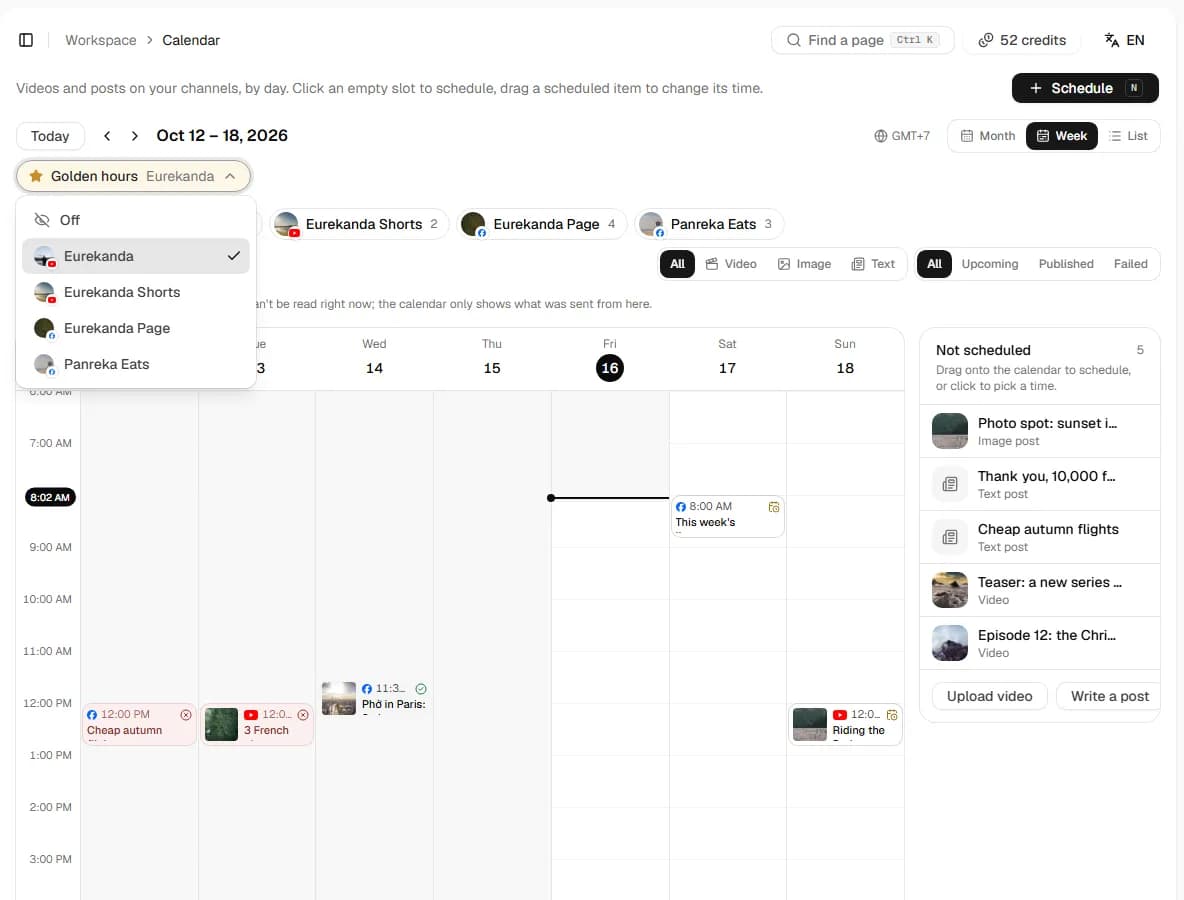
Golden hour
Blog draft: Choosing an ergonomic chairFor review

Post at the golden hour
Worked out from your own channel, marked on the calendar.
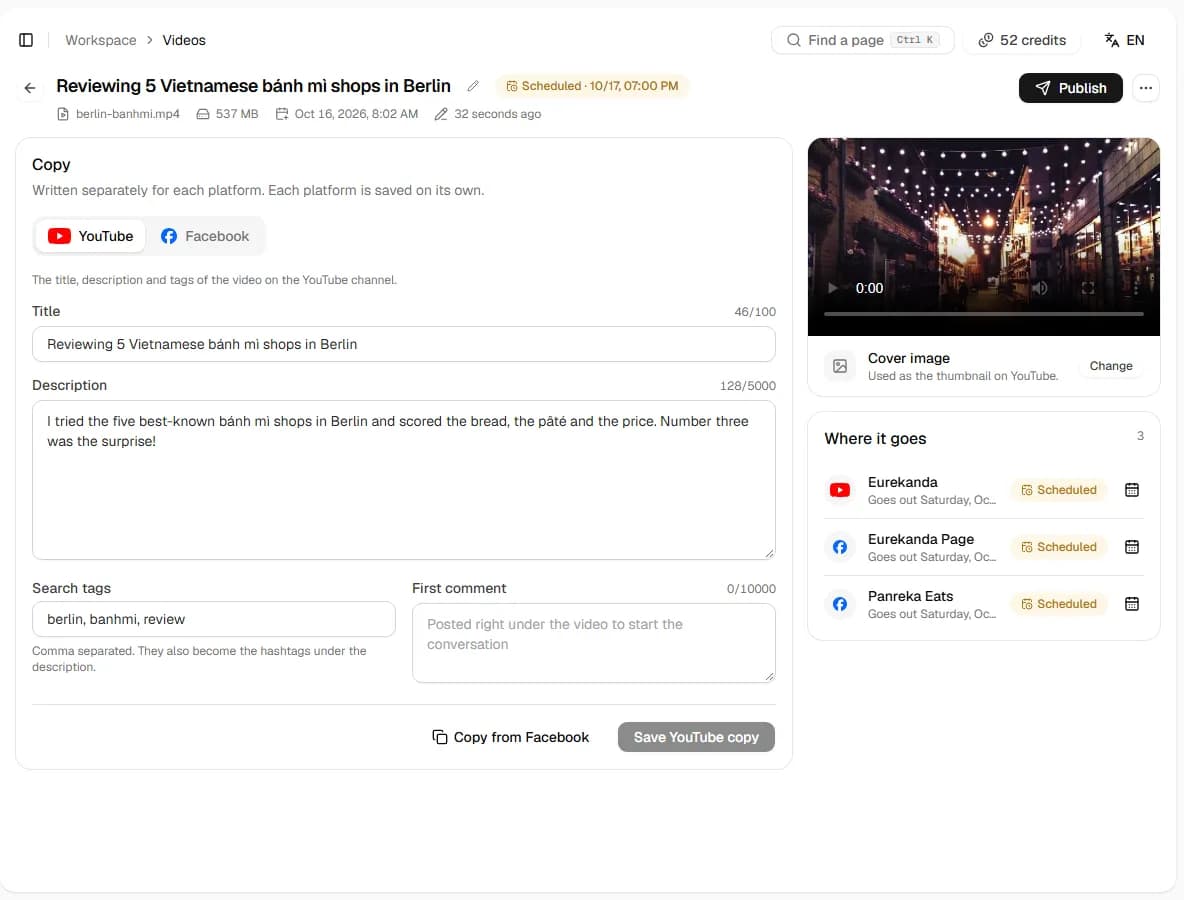
One draft, right for each place
Titles, descriptions and tags for every platform.
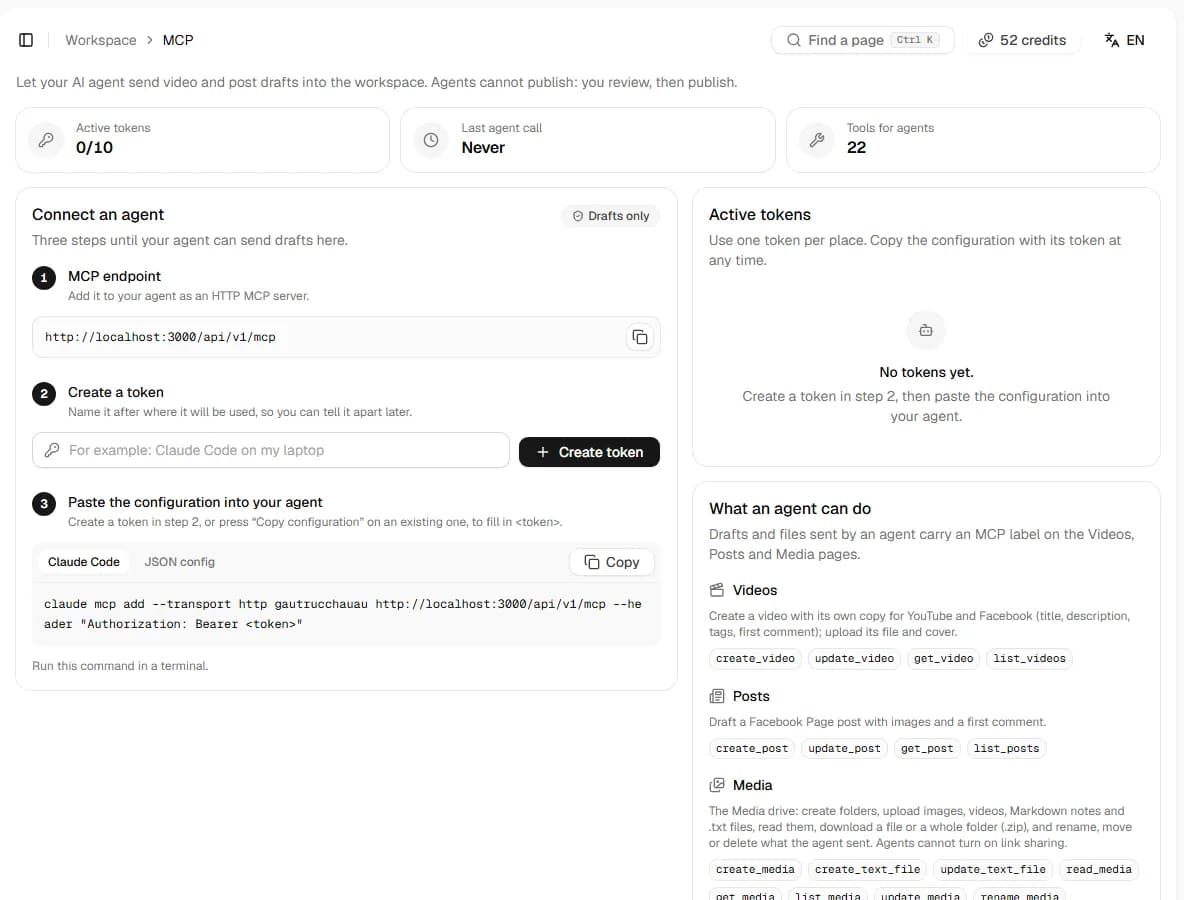
Plug in the agent on your machine
Claude Code, Codex and Cursor send drafts in over MCP.
Your rules
Anything that costs credits or goes out asks first.
- Read numbers and schedulesDoes it
- Write draftsDoes it
- Generate imagesAsks you
- Publish and scheduleAsks you
- Connect channelsYou click
- Cancel a scheduleAsks you

Before you start
Pricing, comparison and safety
Creating an account is free. You top up credits by bank transfer and only pay when you connect an account and when you post.
- Price of one credit
- 1,000 VND
- Minimum top-up
- 50,000 VND
- Connecting another YouTube channel or Facebook Page
- 120 credits
- Each post to one place
- 1 credit
- A place where posting fails
- Refunded
For example: 30 videos a month, each posted to both YouTube and Facebook, is 60 posts, or 60 credits, about 60,000 VND.
YouTube Studio and Meta Business Suite can schedule for free, but each covers one platform. The workspace pays off when you post regularly to both.
| Criterion | Workspace | YouTube Studio | Meta Business Suite |
|---|---|---|---|
| Schedule posts to YouTube | |||
| Schedule posts to a Facebook Page | |||
| Write once for both | |||
| Suggested posting times | Golden hours from your posts' numbers | Report of when viewers are online | Suggested times followers are active |
| AI assistant drafts via MCP | |||
| Price | Pay as you go | Free | Free |
YouTube channels and Facebook Pages are supported today. TikTok and Instagram are not yet.
- No passwords askedYou connect your YouTube channel and Facebook Page through Google's and Meta's official permission screens. The workspace never asks for or stores your password.
- Disconnect any timeConnecting and posting go through a social media connection service. Disconnect in the workspace, or revoke access in your Google or Facebook account.
- AI only draftsAn AI assistant connected over MCP creates drafts, uploads files and can only schedule a video at least 1 day ahead. You always have time to look and cancel.
- Failed posts are refundedAny place where publishing fails is refunded exactly once, and the post page shows where it failed.
Questions
Questions before you try
No. Creating an account is free. Credits are only taken when you connect another YouTube channel or Facebook Page and each time you post to one place, at the prices above; failed posts are refunded.
Not at once. Over MCP the assistant creates drafts, uploads files and at most schedules a video at least 1 day ahead; you can look at it, move it or cancel it in the workspace.
Up to 365 days. Publish now or pick a time; that day's golden hours are suggested first.
Any destination that fails is refunded exactly once, and the post's page shows which one failed.

Give your agent its first job today.
Create a free account